
Download UseNeXT – Fast, Secure Usenet Downloader for Windows, macOS, Android & iOS
Overview
UseNeXT re‑imagines the classic Usenet experience by delivering a modern, user‑friendly interface that rivals popular P2P clients such as eMule and Limewire. While traditional Usenet has long been associated with technical jargon and a steep learning curve, UseNeXT opens the door to anyone who wants to download movies, music, games, software, and images with a single click. The platform boasts over 200 TB of indexed content, more than 60 000 discussion boards, and a subscription‑based model that guarantees legal, high‑speed transfers from dedicated servers. In addition to its powerful search engine, UseNeXT includes an integrated browser that can automatically repair broken parts, a built‑in media player for instant preview, and a sleek cover‑flow view that turns browsing into a visual showcase. Whether you’re a casual user looking for a “free download” without eating up your bandwidth, or a power user hunting for rare files, UseNeXT offers a secure, ad‑free environment that balances speed, anonymity, and ease of use.
Key Features & Performance
- Access to >200 TB of indexed Usenet content, including MP3s, HD video, games, software, and high‑resolution images.
- Anonymous, ad‑free browsing with end‑to‑end encryption for added privacy.
- Built‑in download manager that auto‑retries, repairs corrupted parts, and merges multi‑part files.
- Integrated media player for on‑the‑fly preview of audio and video files before committing to a download.
- Cover‑flow visual interface for an immersive multimedia browsing experience.
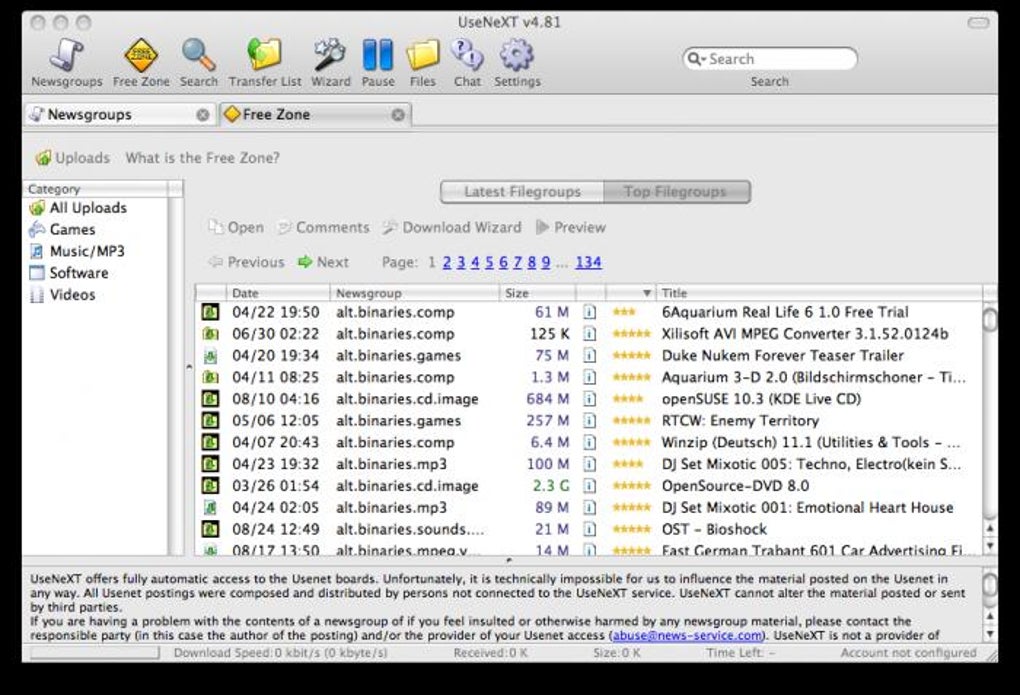
- Free‑Downloads section that lets you pull small files without impacting your monthly bandwidth quota.
- Over 60 000 Usenet discussion boards, providing community support and file verification.
- Smart search box with filters for file type, size, and popularity.
- Parental‑control toggle that hides adult content on first launch.
- Cross‑platform client available for Windows, macOS, Android, and iOS.
Performance is where UseNeXT truly shines. Because the service runs on proprietary, high‑capacity servers, download speeds routinely exceed 30 Mbps on a standard broadband connection, dwarfing the typical 2‑5 Mbps you’d see on free P2P networks. The client’s multi‑threaded engine splits each file into up to 16 parallel streams, which maximizes bandwidth utilization and reduces latency.
Moreover, the automatic repair function detects incomplete or corrupted parts and fetches missing segments from alternate servers, ensuring a clean final file without manual intervention. The preview player also leverages partial file streaming, so you can watch the first few seconds of a video or listen to a snippet of a song while the rest of the file continues to download in the background. All of these capabilities are bundled into a lightweight installer that occupies less than 150 MB on disk, making it an ideal choice for both desktop rigs and mobile devices.
Installation, Usage & Compatibility
Getting started with UseNeXT is straightforward. After you click the Download UseNeXT button on the official site, the installer (UseNeXT_Setup.exe for Windows or UseNeXT.dmg for macOS) will be saved to your default downloads folder. Run the installer, accept the license agreement, and follow the on‑screen prompts. The process takes under three minutes on a typical PC. For Android and iOS, locate the app in the Google Play Store or Apple App Store, tap “Install,” and the app will appear on your home screen in seconds.
Upon first launch, the client asks whether you’d like to enable the parental‑control filter—highly recommended if the device is shared with younger users. Next, you’ll be prompted to create a UseNeXT account or sign in with an existing subscription. The free trial provides 5 GB of data over 48 hours, allowing you to test speed and content availability before committing to a paid plan.
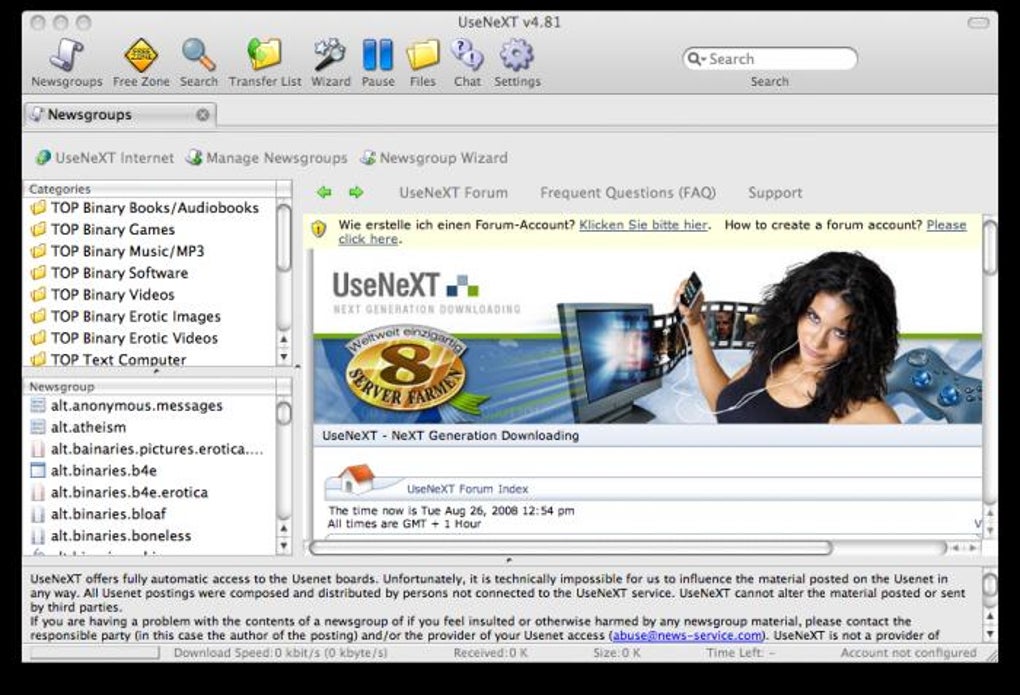
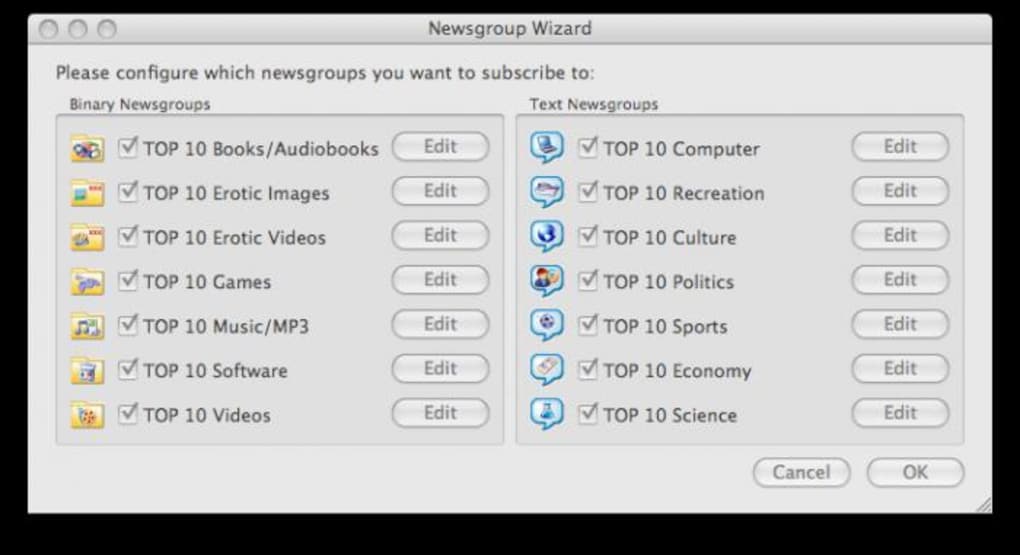
Once logged in, the left‑hand pane displays a hierarchical list of “Newsgroups” organized by categories such as Movies → HD → Action, Music → MP3 → Rock, and Software → Windows → Utilities. Clicking any group reveals the most popular files in that category, complete with thumbnail previews, file size, and a “Download” button. The central search bar supports Boolean operators (AND, OR, NOT) and can filter results by size range, file type, or upload date. Double‑clicking a result opens the integrated download manager, where you can monitor progress, pause/resume, or view real‑time speed statistics.
Compatibility: UseNeXT runs natively on Windows 10/11 (64‑bit), macOS 11+ (Catalina and later), Android 8.0+ and iOS 13+. System requirements are modest—minimum 2 GB RAM, 150 MB free disk space, and a broadband connection (minimum 5 Mbps recommended). The client also supports VPN integration for users who want an extra layer of anonymity.
Pros, Cons & Frequently Asked Questions
Pros
- Lightning‑fast download speeds thanks to dedicated servers and multi‑threaded architecture.
- Extensive library of over 200 TB, far surpassing free P2P networks.
- Built‑in preview player and auto‑repair feature reduce wasted bandwidth.
- Ad‑free, secure, and privacy‑focused with optional VPN support.
- Cross‑platform availability ensures a consistent experience on desktop and mobile.
Cons
- Subscription‑based model means it’s not completely free.
- Initial setup may be intimidating for users unfamiliar with Usenet terminology.
- Large files can quickly consume the monthly data allowance on limited plans.
- Parental‑control filter must be manually adjusted for full content access.
- Occasional latency spikes on heavily congested servers during peak hours.
FAQ
Is UseNeXT legal to use?
Yes. UseNeXT operates under a subscription model that complies with Usenet provider agreements, ensuring that all content is accessed legally through authorized servers.
Can I use UseNeXT on a limited data plan?
Absolutely. The “Free Downloads” section lets you pull small files without deducting from your monthly quota, and you can monitor usage in real time from the download manager.
Does UseNeXT support VPNs or proxy servers?
Yes. The client includes built‑in VPN support and can be configured to route traffic through third‑party proxy services for added anonymity.
How does the auto‑repair function work?
When a download encounters a corrupted segment, UseNeXT automatically searches alternative Usenet servers for the missing pieces, re‑downloads them, and seamlessly merges them back into the file.
What are the system requirements for the mobile app?
The Android version requires 2 GB RAM, Android 8.0+ and 100 MB of storage. The iOS version needs iOS 13+, 2 GB RAM and 120 MB of free space.
Overall Rating: 4.5/5 – UseNeXT delivers a premium Usenet experience with speed and convenience that far outweigh its subscription cost.
Conclusion & Call to Action
UseNeXT stands out as the most polished, high‑performance Usenet client on the market today. Its blend of massive content libraries, ultra‑fast download engines, and user‑centric features like preview playback and auto‑repair make it a compelling upgrade over legacy P2P tools. While the subscription model may deter users seeking a completely free solution, the value you receive—legal access, privacy, and a consistently speedy experience—justifies the modest monthly fee. If you’re ready to replace clunky file‑sharing programs with a modern, secure, and feature‑rich platform, click the button below to download UseNeXT and start your free trial today.
Download UseNeXT Now






